Ledely
Available soon for Mac and the webThe story, the interviews, your notes and the source documents, side by side on one desk.
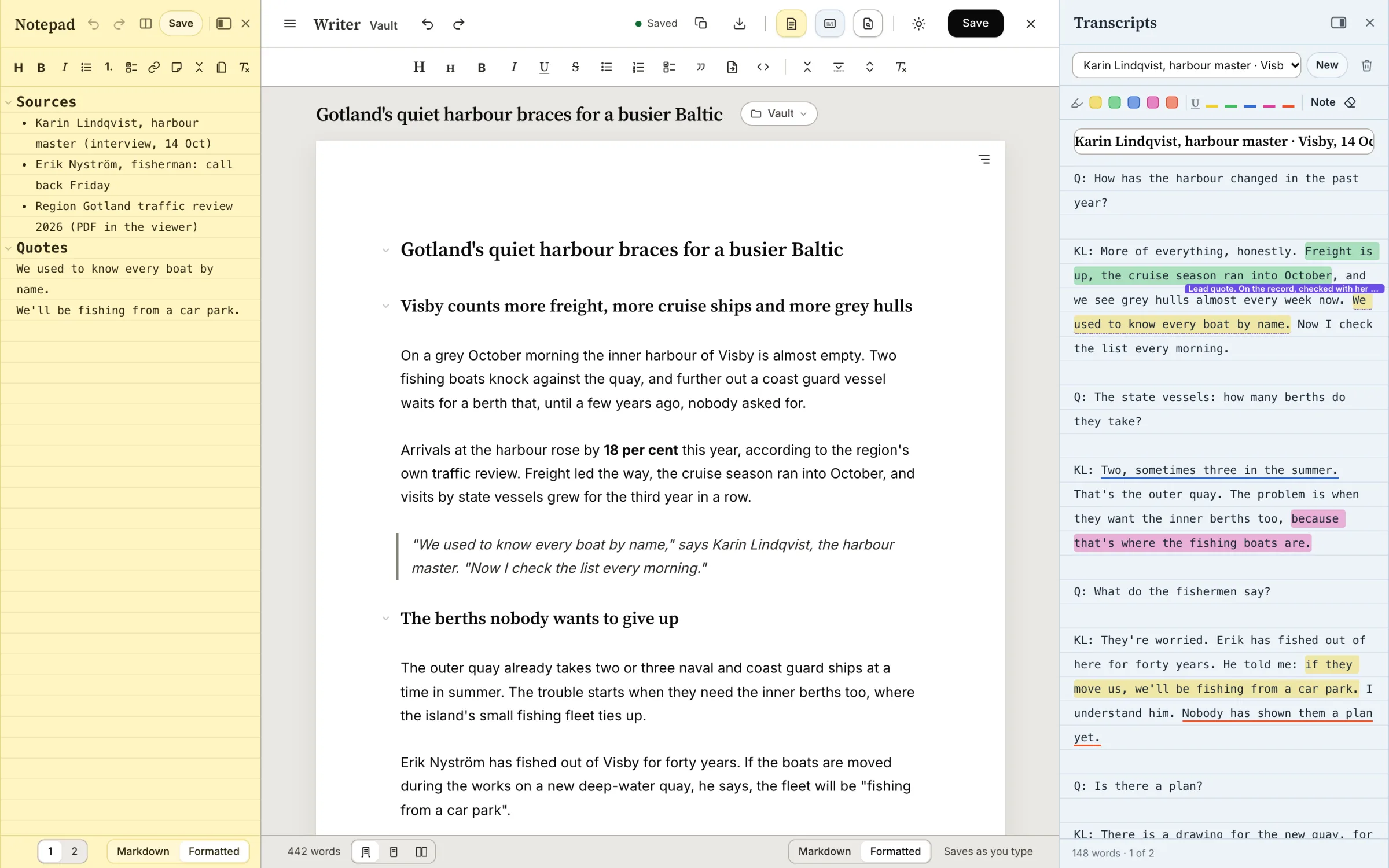
Interviews you can mark up
Paste an interview, a video transcript or any other material into the story it belongs to. Mark what matters as you read, and leave yourself a note on the exact words.
- Several transcripts in one story, each named who, what and when
- Highlight or underline in five colours
- A note above any words, opened with a click
- Word count, undo and redo
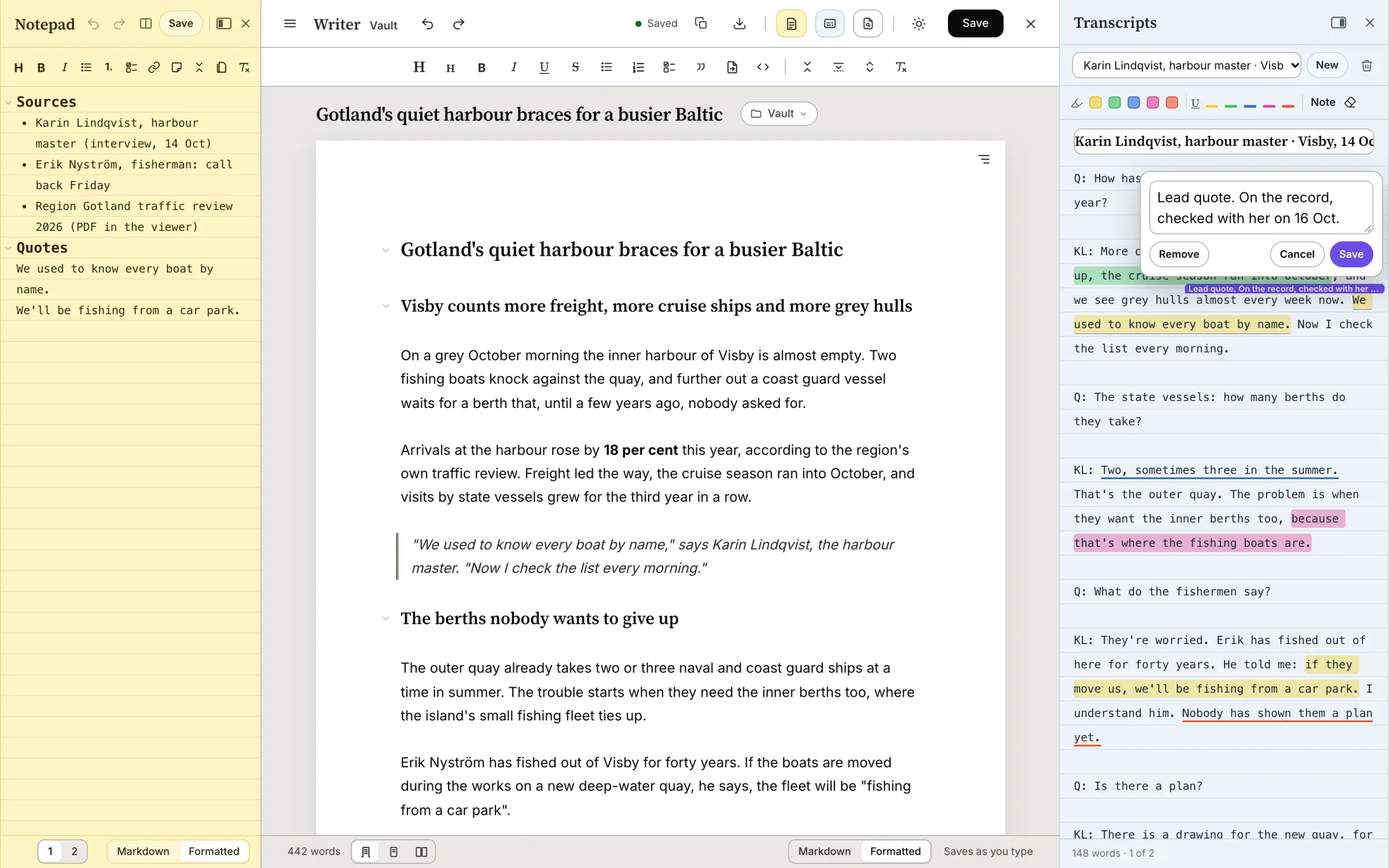
A notebook for every story
Quotes, links, sources and to-dos live in a notebook beside the page, and stay with the story when you close it.
- One column or two, side by side
- Bubbles: sticky notes across both columns
- Headings that fold, checklists and links
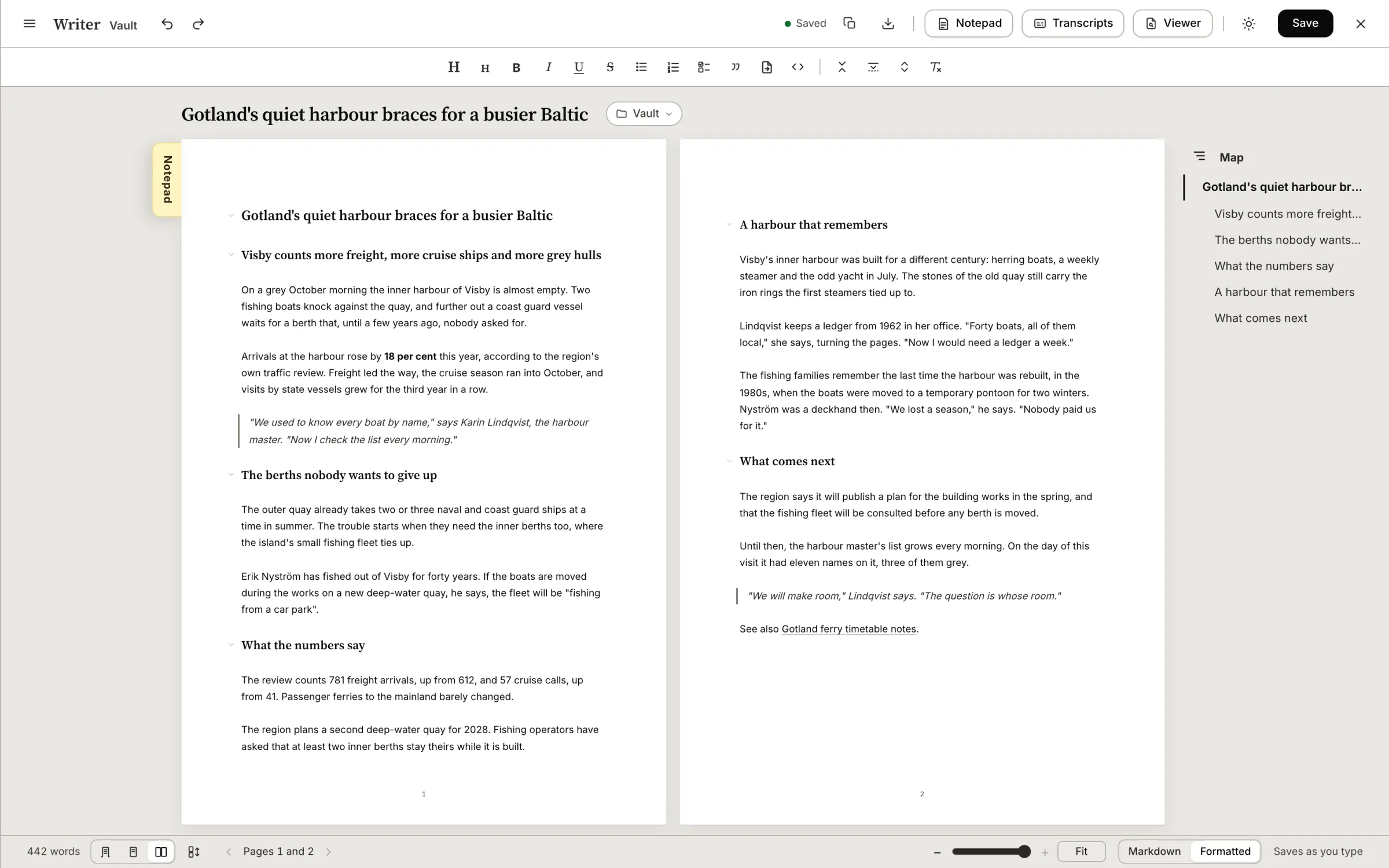
- Markdown or formatted, scrolling or page by page
- Export to Word or text
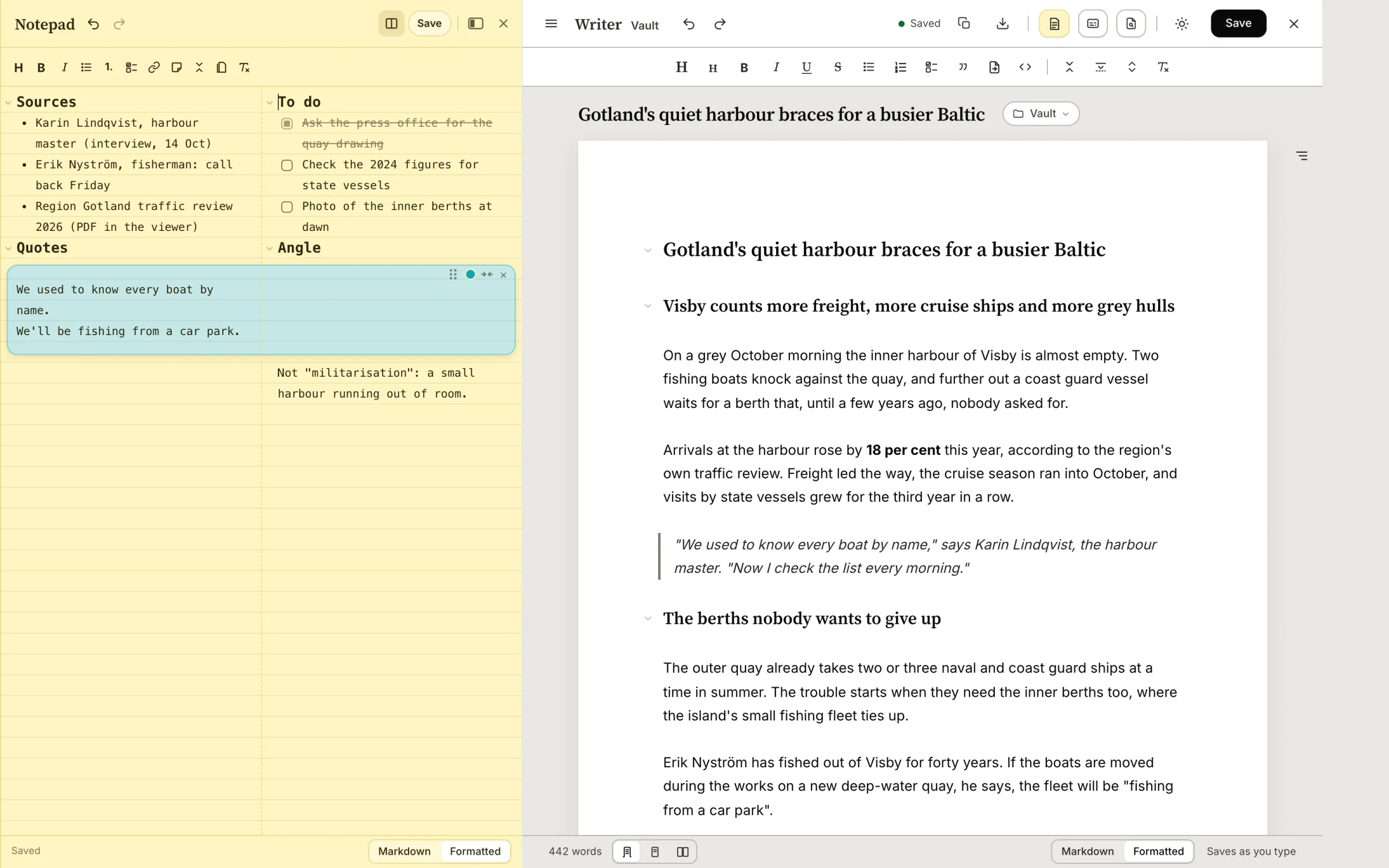
The source, in sight
Keep the report, the court ruling or the spreadsheet open next to your text while you write about it.
- PDFs, with text you can select and copy
- Word files, Markdown, text and subtitle files, pictures
- Google Docs, Sheets and Slides
- Recent files a click away
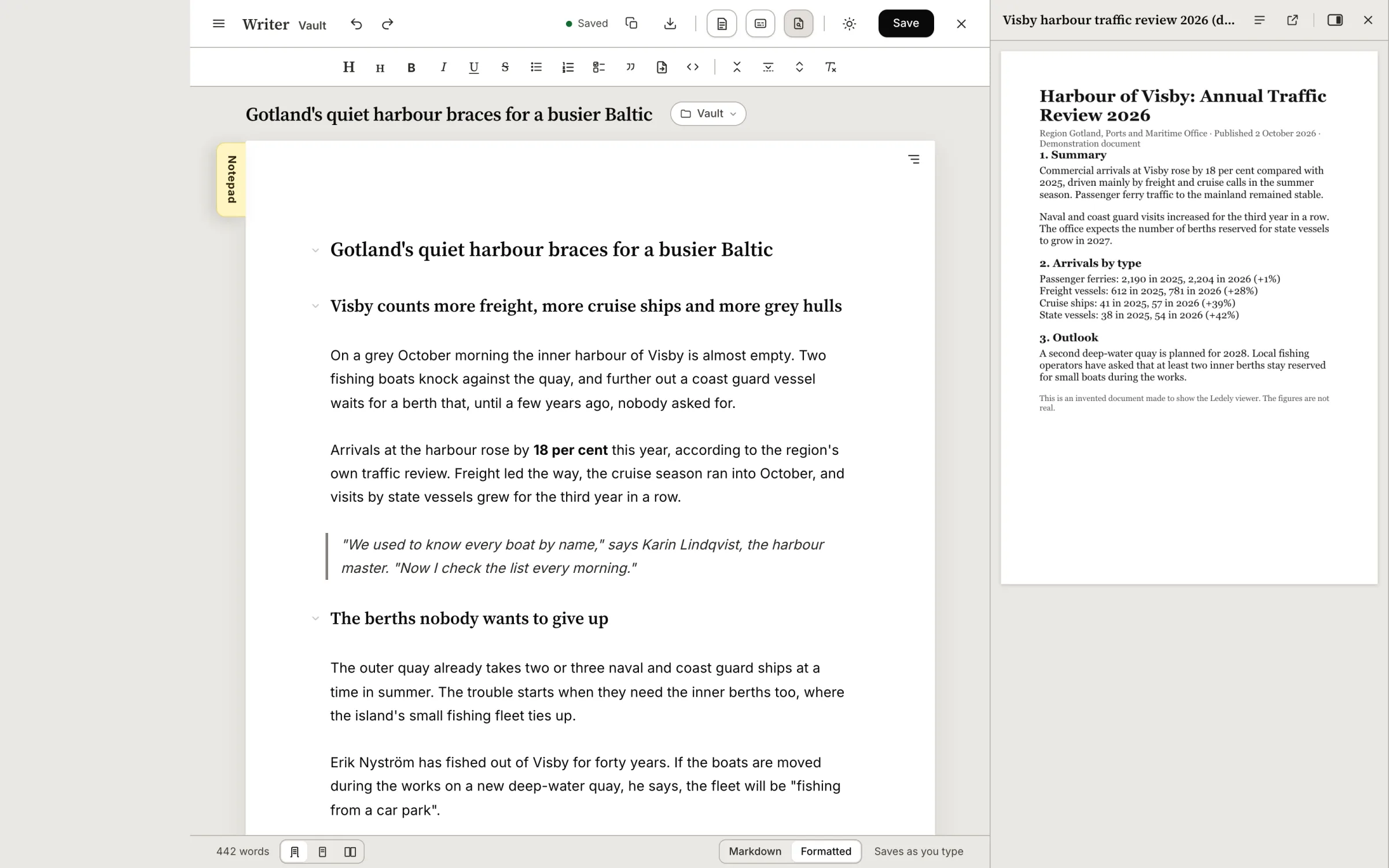
Built for long pieces
Every headline starts a block. Fold the blocks to see the shape of the piece, and drag them in the map to move whole sections.
- Markdown or formatted, switched with one click
- One A4 page or two side by side, turned or scrolled
- Links between stories
- Earlier versions kept as you write, any of them restored
- Export to Word, Markdown, text and PDF
Everything in Ledely
- Markdown or formatted view
- Headlines and subheads that start blocks
- Blocks that fold, and move in the map
- Bold, italic, underline, strike-through
- Lists, checklists, quotes and code
- Pasted tables stay tables
- Links between stories
- One A4 page or two side by side
- Several in one story, each with a name
- Highlight or underline in five colours
- Notes above the words
- Word count
- Undo and redo
- One per story, kept with it
- One or two columns
- Bubbles across both columns
- Folding headings, checklists, links
- Markdown or formatted, pages or scroll
- Export to Word or text
- PDFs with selectable text
- Word files, Markdown, text, subtitles
- Pictures
- Google Docs, Sheets and Slides
- Recent files
- A tab of its own when you need more room
- Notebook, transcripts and viewer beside the page
- Or sharing a column, over the page, or as windows
- Each folds down to a bar
- Light and dark
- Saves as you type
- Earlier versions kept, any restored
- Folders and search
- Copy as Markdown, formatted or plain text
- Export to Word, Markdown, text and PDF
Three panels, anywhere on the desk
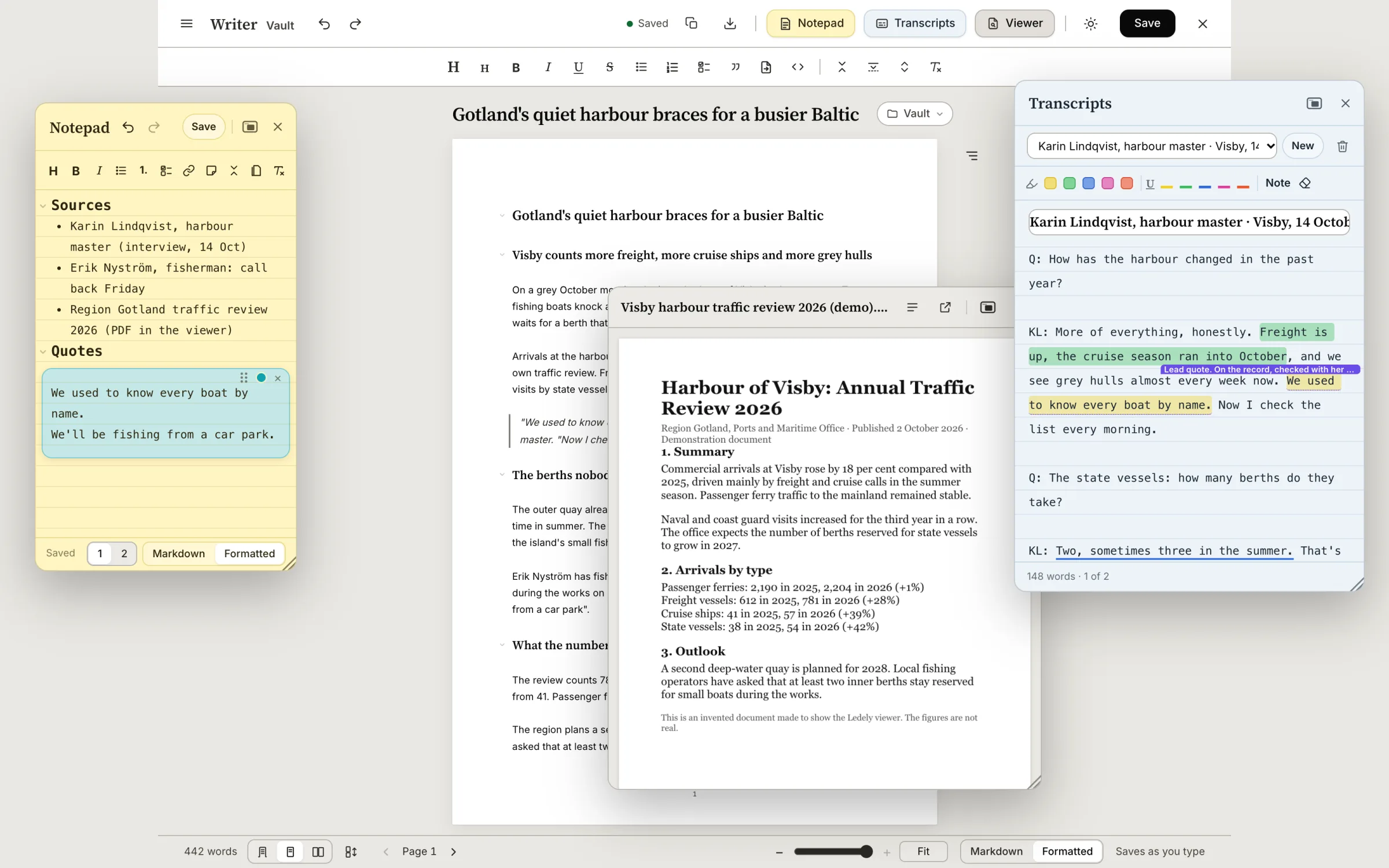
The notebook, the transcripts and the viewer each stand where you put them: in a column beside the page, two to a column, folded at the foot of the desk like a chat, or as a window of their own that you move and size.
Available soon for Mac and the web
Ledely is in development at emph.io. To hear when it is out, or to try it early, get in touch.